Connect Wallet
How to Buy Gonka (GNK) — Onyx
A step-by-step guide to buying Gonka (GNK) using Onyx.
Objective
This guide walks you through purchasing the Gonka (GNK) token using Onyx.
Quick Summary
How to buy Gonka (GNK)
- Obtain axlUSDC or axlUSDT on the Gonka chain using the dApp's bridge.
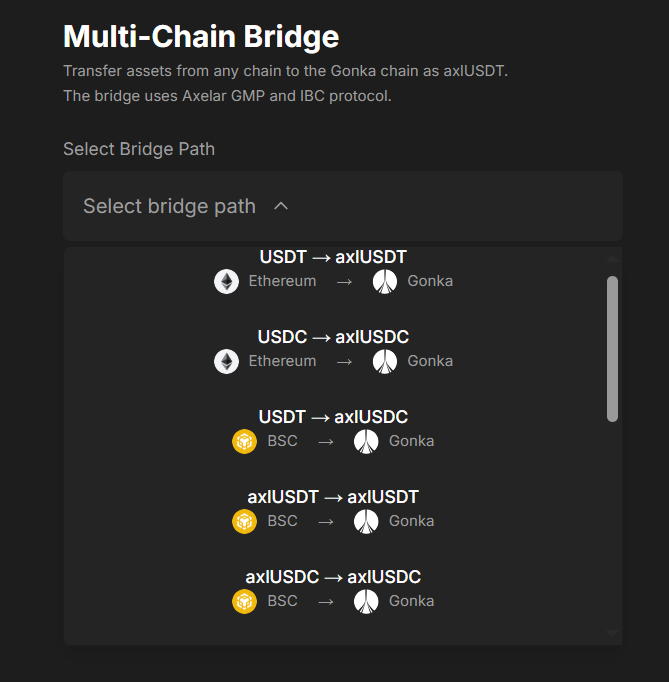
- From Ethereum — bridge as axlUSDT or axlUSDC.
- From BSC — bridge USDT to Gonka as axlUSDC.
- From Arbitrum — bridge USDC to Gonka as axlUSDC.
- You can also bridge axlUSDT or axlUSDC from Arbitrum, BSC, or Neutron to Gonka. These tokens are available on those networks via Uniswap or PancakeSwap.
- On Gonka, swap axlUSDC or axlUSDT for Gonka (GNK) using the dApp's Swap function.
About Onyx
Onyx is an AMM and derivatives solution built on Gonka that provides deep liquidity, seamless token swapping, and advanced trading products.
Requirements
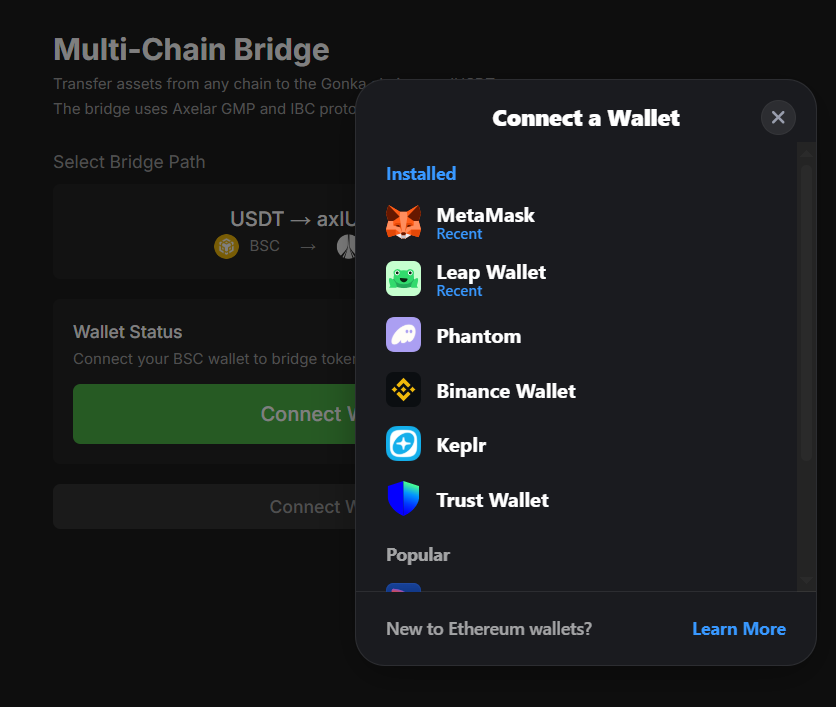
- Source wallet: MetaMask or Rabby, funded with the tokens you will convert to axlUSDC or axlUSDT.
- Destination wallet: Keplr or Leap with your Gonka address.
- A browser with wallet extensions installed and unlocked.
- Basic familiarity with connecting wallets to dApps.
Steps
1. Install wallets
- Source wallet: MetaMask (metamask.io) or Rabby (rabby.io).
- Destination wallet: Keplr (keplr.app) or Leap (leapwallet.io).
- Create/import wallets, back up seed phrases, and fund with the necessary tokens.
2. Bridge assets to Gonka
Open the Onyx bridge: www.getonyx.xyz/bridge
- Connect to Gonka using Keplr or Leap. The Gonka chain will be added automatically the first time.
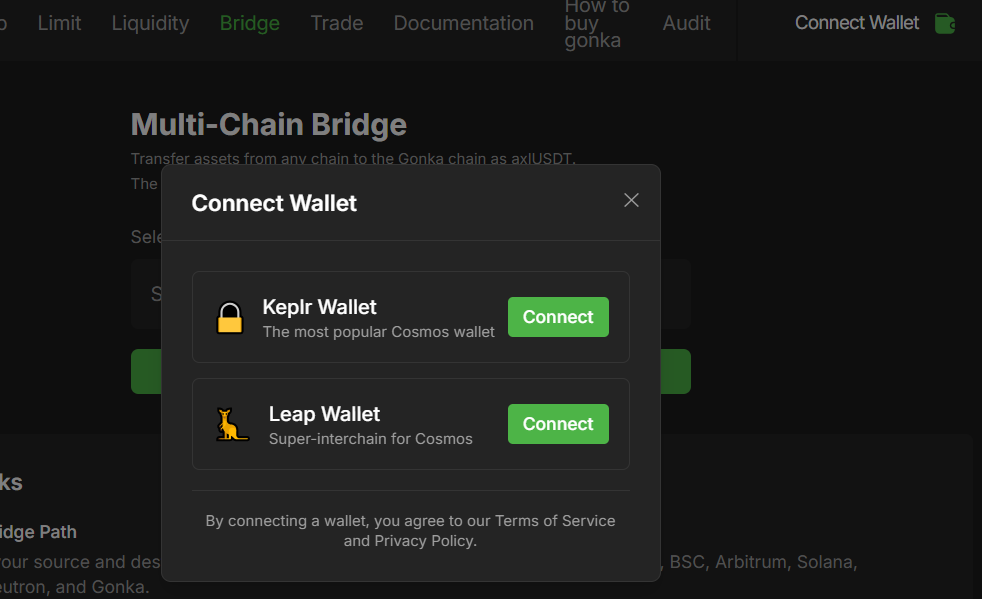
- Select Bridge Path: Ethereum, Arbitrum, BSC, or Neutron → Gonka. Destination address: your Gonka address.
- Connect your EVM wallet.
- Enter the amount you want to transfer.
- Set destination wallet address by connecting keplr/leap wallet or manual input.
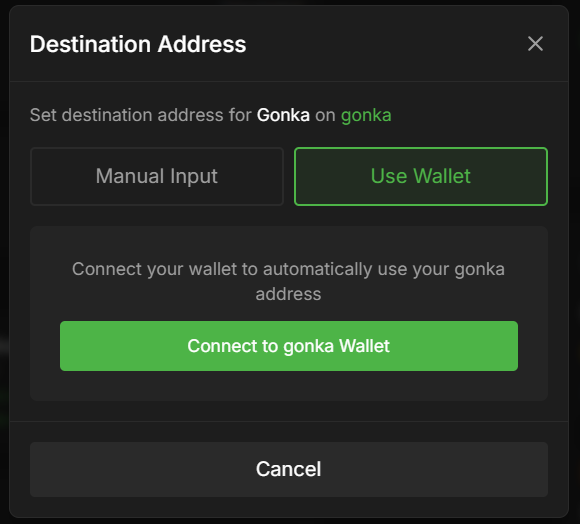
- Click
Bridgeand confirm.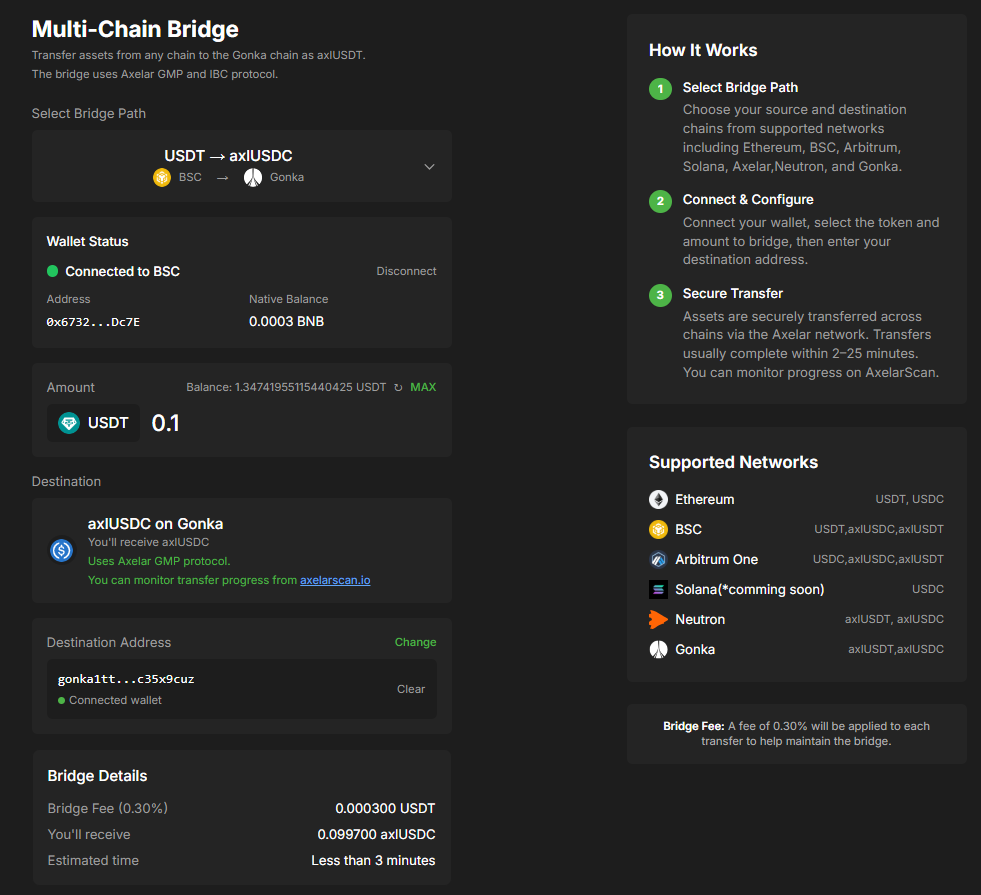
- Wait a few minutes for the bridge to complete. You can monitor the transaction via the provided hash link or on AxelarScan by searching your wallet address.
3. Swap axlUSDT/axlUSDC to Gonka (GNK)
- Open the Onyx Swap: www.getonyx.xyz/swap
- From: axlUSDT/axlUSDC (on Gonka). To: Gonka (GNK).
- Enter the amount, set slippage (recommended 0.5–1%), approve the token if this is your first time, then click Swap and confirm.
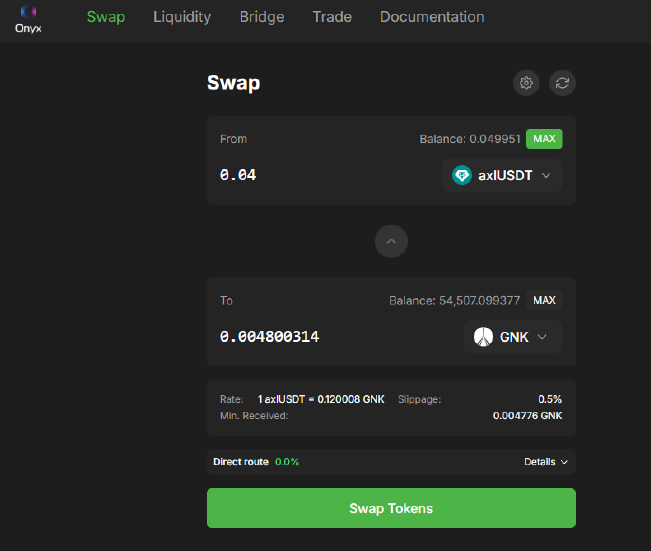
- Verify your balance and the transaction hash on the Gonka explorer.
Troubleshooting
- Swap fails: check slippage settings, token approval, and network fees.
- Bridge delayed: verify the transaction hash and destination address.
- Token not visible: add the token contract to Keplr or Leap manually.
Security & Best Practices
- Only use official links (Onyx, Keplr, Leap).
- Verify contract addresses from official sources.
- Use small test amounts first.
- Never paste seed phrases or private keys online.